
If a Finder, Telegram or any other window on your Mac keeps losing focus and grabbing it back so fast that you can't click or type in it, try this in Terminal:
killall WindowManager
macOS restarts the process right away. Your windows stay open and you don't have to log out. Below is what it looks like and how I tracked it down.
What it looks like
I open a Finder window on the desktop and can't do anything with it. It gets focus, loses it, gets it again. It feels like someone next to me is hitting Cmd+Tab every second, bouncing focus between the window and the desktop. Clicks don't land, typing goes nowhere. Same thing with Telegram, by the way.
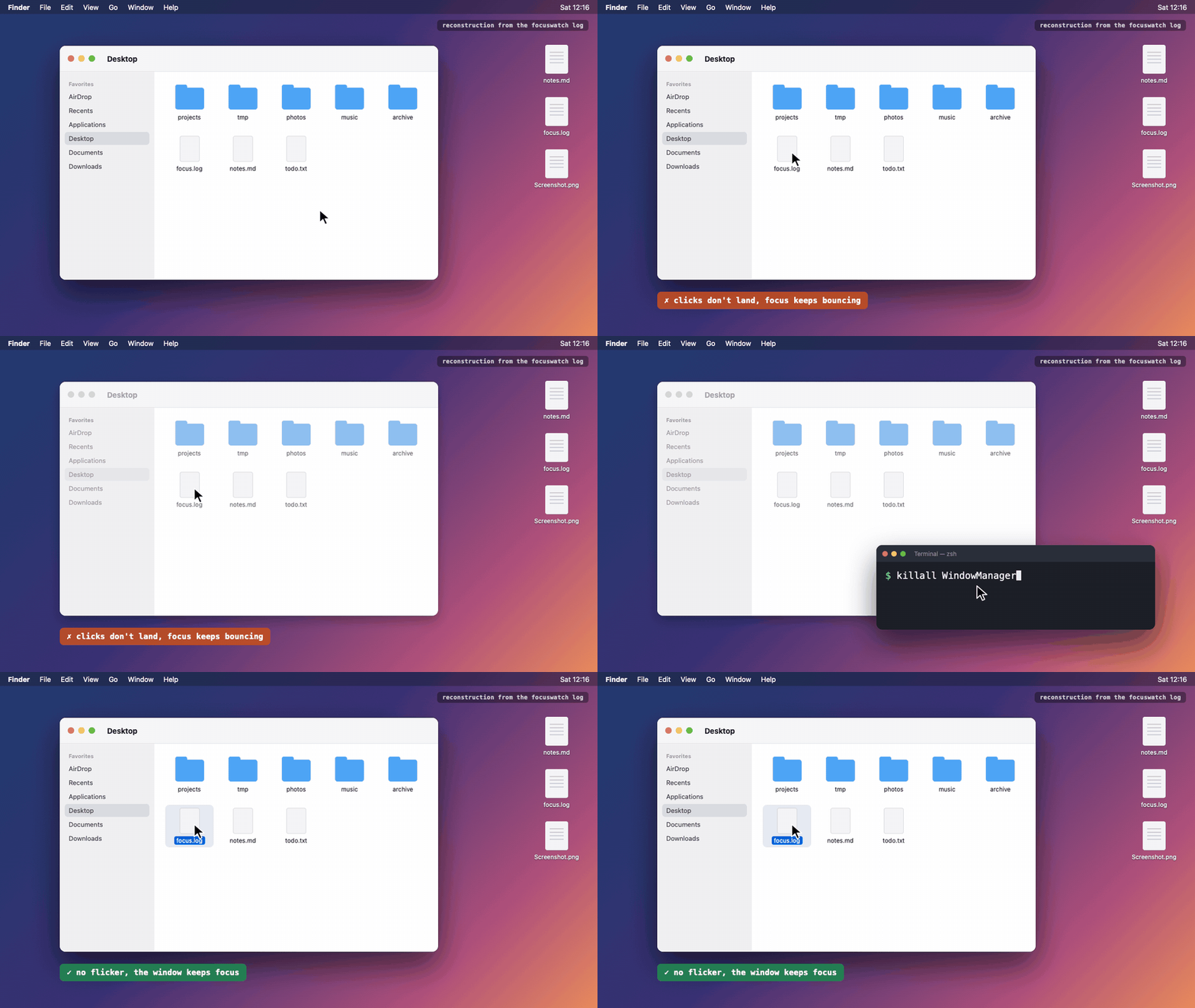
A reconstruction, not a screen recording: the bug was already fixed. The window switches at the same intervals as in the real log.
I'd been running into this for months. A reboot always made it go away, and honestly, I never got around to figuring it out.
My setup when it happened:
- macOS 26.6 (Tahoe);
- Stage Manager on;
- "Click wallpaper to reveal desktop" left at the default, "Always".
The fix
Run killall WindowManager. WindowManager is the system process behind Stage Manager and the reveal-desktop feature, and macOS relaunches it within a second.
If it keeps coming back, go to System Settings → Desktop & Dock and set "Click wallpaper to reveal desktop" to "Only in Stage Manager". The yabai wiki recommends the same, since focus switching doesn't work reliably for them without it.
Turning Stage Manager off also works – and it's the most common advice online. But I actually use it, so that's not an option for me.
To see how long the process has been running:
ps -o etime= -p $(pgrep -x WindowManager)
Mine had been up for 40 days. I can't prove uptime is the trigger – it's one data point so far. But the flicker stopped the moment the process restarted.
How I found it
So, at first I was sure it was my own code. I'm building an Electron desktop app that runs AppleScript under the hood, including tell application ... to activate, and the theory pretty much suggested itself: a handler that never gets removed on quit and keeps poking at focus.
I handed the project to Claude Code to investigate. It looked through the code, but instead of guessing from it, it wrote a small Swift script. Every 100 ms the script logs which app macOS considers active (NSWorkspace.frontmostApplication) and whose window is actually on top (CGWindowListCopyWindowInfo), plus every app activation event.
I reproduced the bug, and here's what the log showed:
12:16:47.422 front=Finder topwin=Finder(679)
12:16:47.517 front=Finder topwin=WindowManager(665)
12:16:47.619 front=Finder topwin=Finder(679)
12:16:47.718 front=Finder topwin=WindowManager(665)
12:16:47.818 front=Finder topwin=Finder(679)
12:16:47.921 front=Finder topwin=WindowManager(665)
...
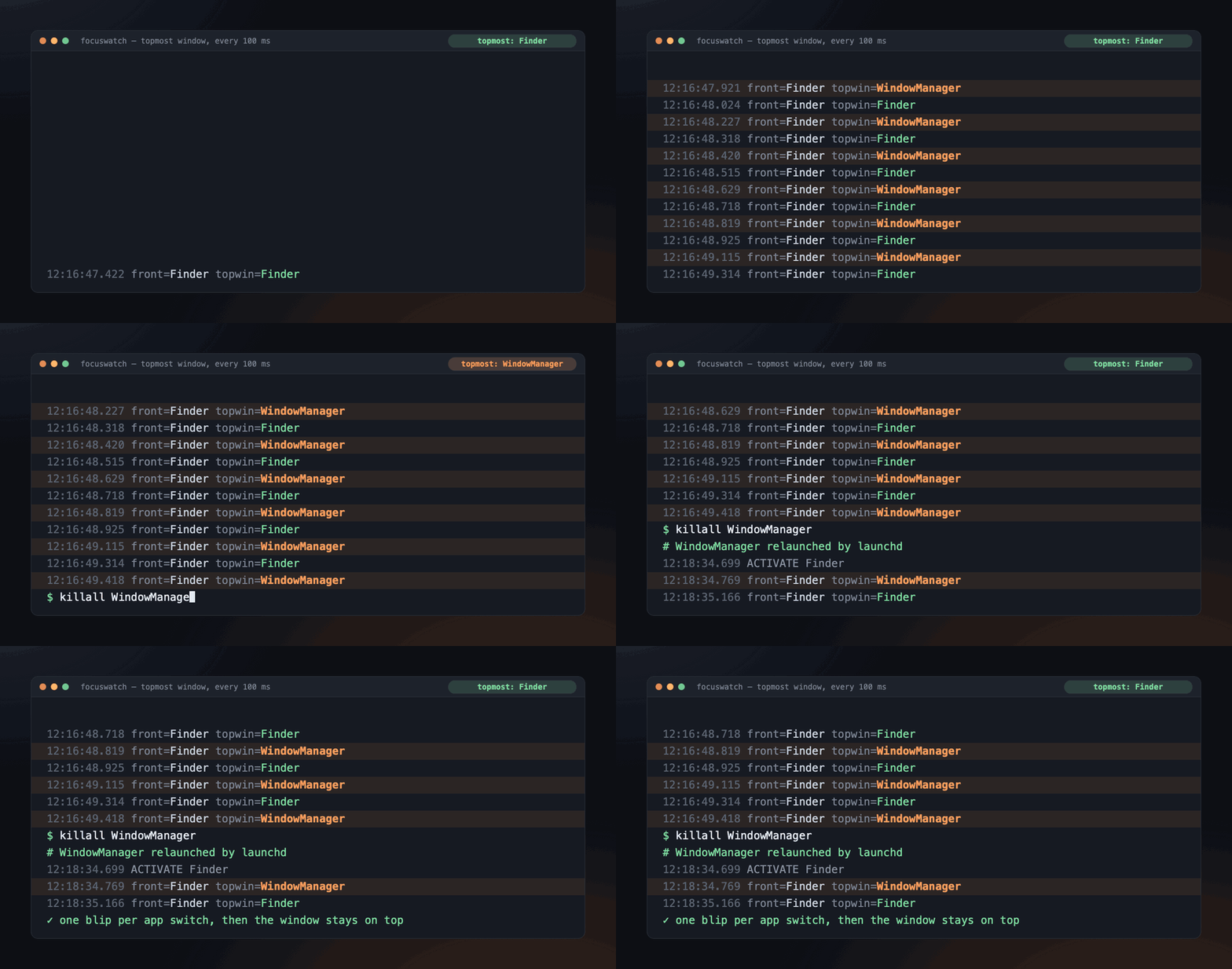
The same log replayed at real speed, before and after killall WindowManager.
The active app stays Finder the whole time, and there isn't a single activation event. So no app is stealing focus, and Cmd+Tab has nothing to do with it. The top window, on the other hand, flips about ten times a second between the Finder window and a window owned by WindowManager.
My app never showed up in the log. After killall WindowManager I measured again – clean. A WindowManager window still flashes for a split second when you switch apps, but that's just the normal Stage Manager animation.
A note on the AI part. It didn't know the answer. Along the way it even overstated a problem in my code and then walked that back itself. It did go straight to measuring, though. I could have written a 30-line script like that myself… but honestly, I wouldn't have – I'd have rebooted again and moved on.
Obvious things aren't always that obvious.
Check it on your Mac
If you see something similar and aren't sure it's the same bug, here's the script. It's also on GitHub Gist. You'll need the Xcode Command Line Tools (xcode-select --install).
// focuswatch — logs app activations and the topmost window to catch focus flicker on macOS.
// Build: swiftc -O focuswatch.swift -o focuswatch
// Run:   ./focuswatch | tee focus.log   (Ctrl+C to stop)
import AppKit

setvbuf(stdout, nil, _IOLBF, 0)
let fmt = DateFormatter()
fmt.dateFormat = "HH:mm:ss.SSS"
func ts() -> String { fmt.string(from: Date()) }

// 1. Who becomes the active app, and when.
NSWorkspace.shared.notificationCenter.addObserver(
  forName: NSWorkspace.didActivateApplicationNotification, object: nil, queue: .main
) { n in
  let app = n.userInfo?[NSWorkspace.applicationUserInfoKey] as? NSRunningApplication
  print("\(ts()) ACTIVATE \(app?.localizedName ?? "?") pid=\(app?.processIdentifier ?? -1)")
}

// 2. Whose window is actually on top (layer 0 = normal windows), sampled every 100 ms.
var last = ""
Timer.scheduledTimer(withTimeInterval: 0.1, repeats: true) { _ in
  let opts: CGWindowListOption = [.optionOnScreenOnly, .excludeDesktopElements]
  guard let list = CGWindowListCopyWindowInfo(opts, kCGNullWindowID) as? [[String: Any]] else { return }
  let top = list.first { ($0[kCGWindowLayer as String] as? Int) == 0 }
  let owner = top?[kCGWindowOwnerName as String] as? String ?? "-"
  let pid = top?[kCGWindowOwnerPID as String] as? Int ?? -1
  let front = NSWorkspace.shared.frontmostApplication?.localizedName ?? "-"
  let line = "front=\(front) topwin=\(owner)(\(pid))"
  if line != last { print("\(ts()) \(line)"); last = line }
}

RunLoop.main.run()
Reading the log:
topwinbounces between your window and WindowManager whilefrontstays put. That's this bug, andkillall WindowManagerfixes it.- You see
ACTIVATElines for some app. Then an app really is taking focus, and the log gives you its name and pid. People often point at Logitech G HUB, Grammarly and utilities with Accessibility access. - Nothing changes in the log, but you still have no focus. That sounds like a different known bug, "phantom focus", where focus goes nowhere. Restarting the Dock or logging out is the usual workaround.
What others have reported
People have complained about Stage Manager "stealing focus" since Ventura, the release that introduced WindowManager, all the way to Tahoe. The reports are scattered across forums under different names, and the advice is nearly always the same: turn Stage Manager off.
- Stage Manager stealing focus when switching from Safari. Apple Community, Sequoia. Closest to my case: the author also used a script and found WindowManager holding focus.
- Stage Manager windows flicker. Apple Community, windows flickering when switching between Finder and Settings.
- Phantom Focus. Apple Community, the neighboring bug where focus disappears.
- yabai wiki, on the click-wallpaper setting.
I didn't find anyone who looked at the window order and noticed that the active app never changes. killall WindowManager rarely comes up as a fix either. People mostly run it to apply settings after defaults write.
I've reported this to Apple as FB25381630. If you run into it, file your own report in Feedback Assistant (open -a "Feedback Assistant") and mention that it looks like FB25381630. That way Apple can see it's not a one-off.
Also, let me know how long your WindowManager had been running: I'd like to find out whether uptime really is the trigger.
PS. Funny thing: the whole time I suspected my own code, and it turned out to be the only thing in this story that had nothing to do with it.